Inventory Tracking That Keeps Up
Always know what you have, where it is, and when to reorder. No end-of-day counting. No guessing.
Always Up to Date
Every time you receive, issue, or move stock, Inventory Pro updates quantities right away. No waiting. No end-of-day counting. Your team sees accurate numbers on any device, anytime.
- Numbers update the moment you scan
- No end-of-day reconciliation
- Everyone sees the same live data
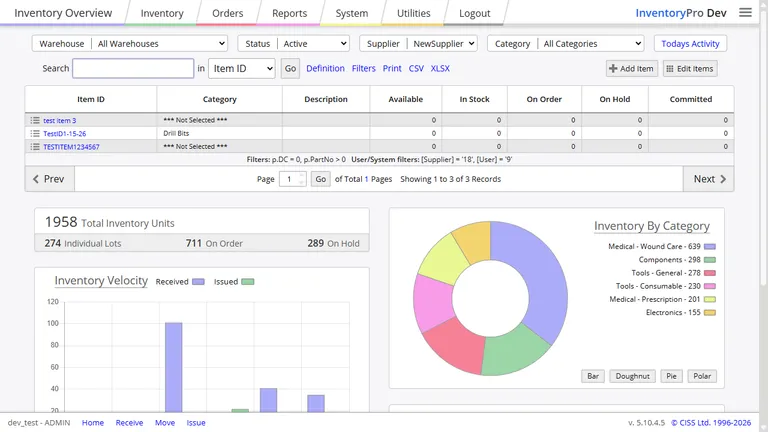
Whether you're on the warehouse floor, at your desk, or working from home, you always see the same accurate numbers. No more spreadsheets that are already out of date.
Receive, Issue, and Move Stock
InventoryPro handles all the ways stock moves in and out of your business. Receive goods from suppliers, ship orders to customers, move items between locations, or make manual adjustments when things don't add up.
Every transaction goes through a quick review step before it's finalized, so you can check your work and avoid mistakes. The app suggests where to put incoming stock and automatically tracks which items expire first.
Receive Stock
Scan incoming goods, import from spreadsheets, or enter manually.
Issue Stock
Ship orders, consume materials, handle returns, and make adjustments.
Move and Transfer
Relocate stock between locations with full tracking and records.
Track Serial Numbers and Lot Codes
Track individual items by serial number, group them into lots, and set expiration dates. This is useful for products that expire, need to be traced back to a specific batch, or require warranty tracking.
Each serial number and lot code is recorded every time it moves, so you always know where an item is and what happened to it.
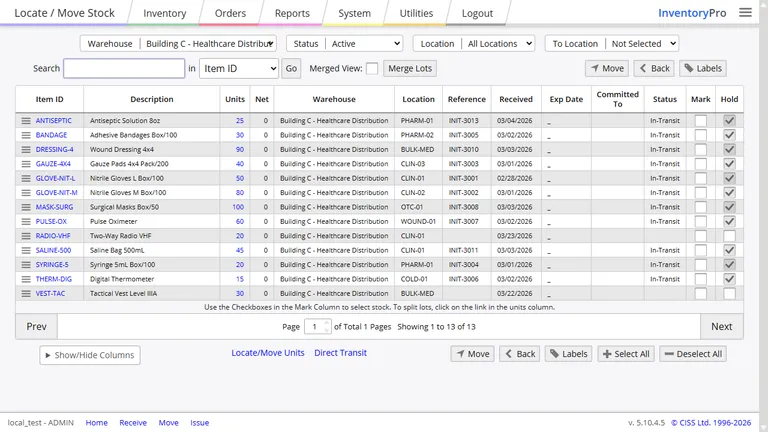
Every movement of a serial number or lot code is recorded, so you can trace any item back to exactly where it is and what happened to it.
Count Stock Without Shutting Down
Keep your inventory accurate without closing up shop. InventoryPro lets you count stock while you work, using your phone to scan barcodes. Pick what you want to count and the app handles the rest.
Counting Methods
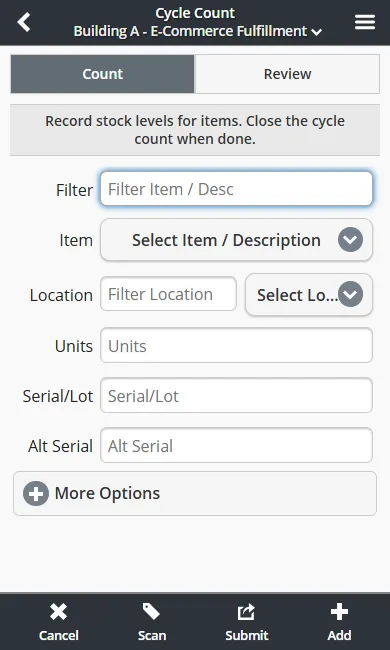
When counts show differences, they go through a quick approval before adjustments are made. The app automatically handles overages and shortages and keeps a complete record of every correction.
Know When to Reorder
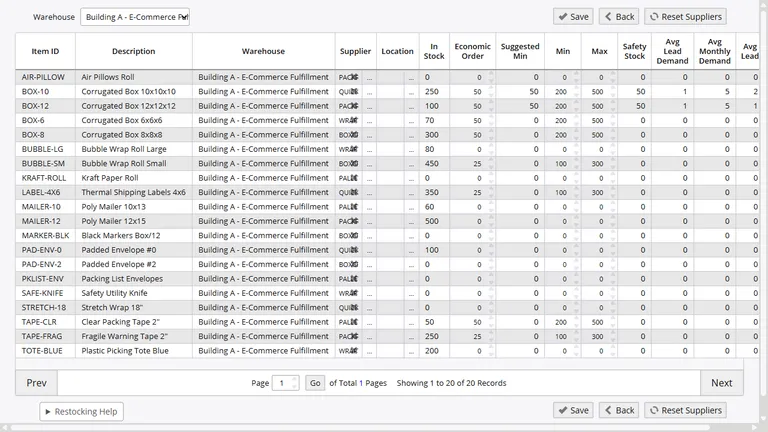
Running out of stock costs you sales. Running too much ties up cash. InventoryPro watches your usage patterns and tells you when to reorder, so you always have what you need without over-ordering.
- Automatic purchase order suggestions when stock gets low
- Accounts for items already on the way
- Learns from your usage and suggests better reorder points
See Who Did What
Every change to your inventory is recorded with the date, time, who made it, and what changed.
Change Tracking
See exactly what changed on any item, with before and after values.
History Reports
Check what your inventory looked like at any point in the past.
If something doesn't add up, you can trace every transaction back to its source.
Ready to Track Inventory the Right Way?
Sign up free and see how it works. Import your spreadsheet and start scanning in minutes.