Build, Assemble, Track
Define your products, create work orders, and know exactly what each build costs.
Parts Lists and Kitting
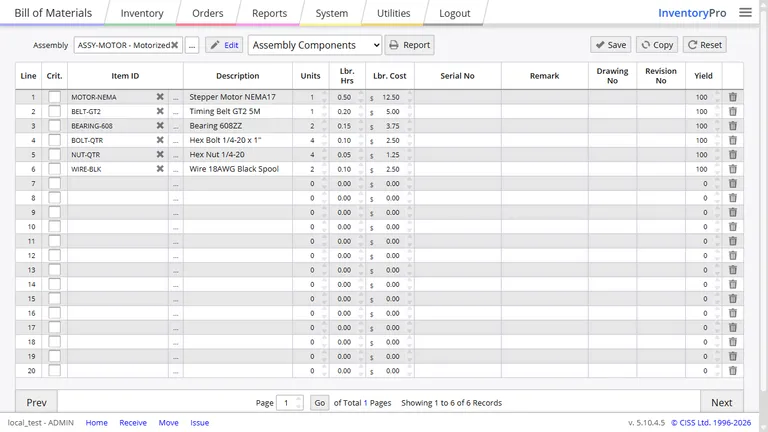
Define what goes into each product you build. A bill of materials lists every component and quantity. Assemblies can contain other assemblies, so your structure matches how you actually build.
- Nest assemblies inside assemblies
- Account for waste with yield factors
- Quantities scale automatically to your batch size
Work Orders From Start to Finish
A work order moves through stages: Requested, Open, Started, Completed, Closed. Materials are planned before you start building, costs are tracked as you go, and everything gets finalized when the job is done.
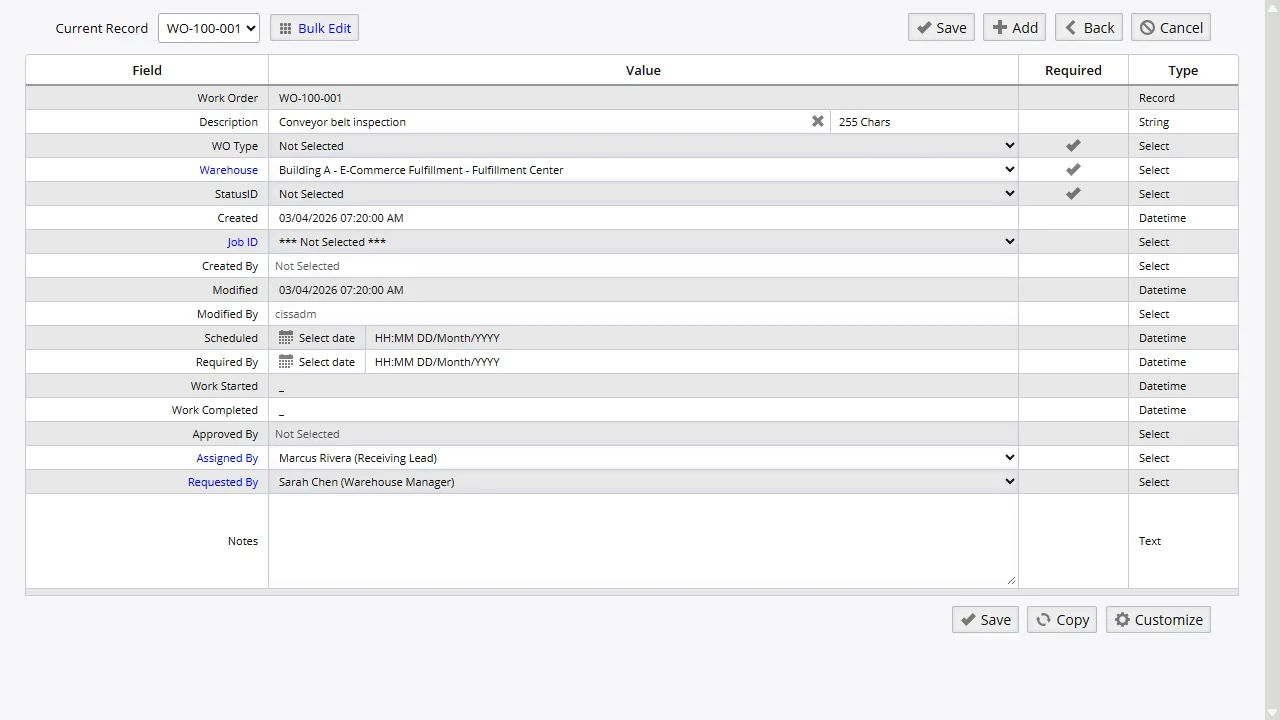
When you assemble, parts are pulled from stock and the finished product is added - one transaction, no gaps.
Full Work Orders
Load a BOM, track labor and equipment, assign serial numbers, and close out costs.
Assembly Orders
Kit or assemble products. Parts go out, finished goods come in, automatically.
Internal Parts Use
Track parts used for maintenance or internal projects without building new items.
Track Labor and Equipment
Log who worked on a job, how many hours, and at what rate. Each labor entry links to an employee so you can see who spent time on what.
Same for equipment. Record which machine was used, for how long, and at what hourly cost. Add it up with material costs and you know exactly what each production run costs.
Job Costing
Group orders, work orders, and transactions under one job number. Everything spent on a project - materials, labor, purchases - lands in one place so you can see total cost at a glance.
Useful for quoting future jobs, billing customers by project, or just answering "did we make money on that one?" Every dollar gets attributed to the right job.
Real Cost Per Item
The price you paid is not the whole story. Add in shipping, handling, and storage to see what each item actually costs you. That is your landed cost, and it tells you your real margin.
Landed cost reports break down expenses by shipment with profit-and-loss figures. Helpful when comparing suppliers or deciding whether to raise a price.
Know What You Need Before You Build
Before you start production, check whether you have the parts. The system looks at what is in stock, what is on order, lead times, and your BOM to flag shortages. Short on something? Generate a purchase order right from the work order.
Min/max suggestions based on past usage help you keep the right amount of each component on hand. Fewer emergency orders, fewer production delays.
Track What You Build
From parts list to finished product. Start free and add work orders as your production grows.