Reports That Actually Help
Over 260 built-in reports. Export to Excel. See what matters at a glance.
Built-In Reports
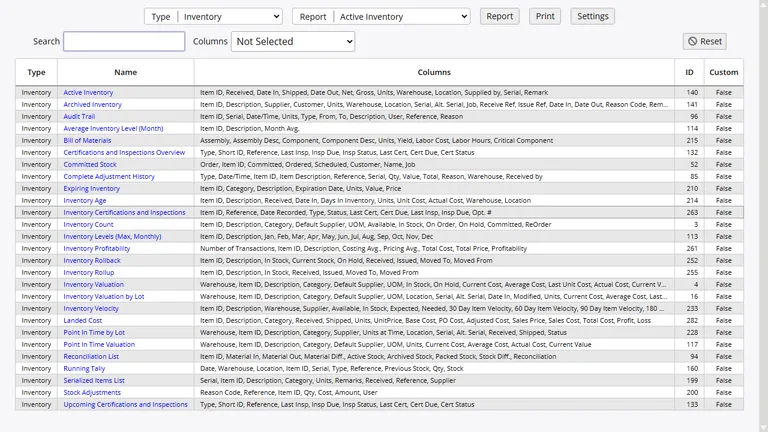
InventoryPro comes with over 260 reports ready to go. Stock levels, order status, receiving history, supplier spend, customer activity - it is all there. Every report can be viewed on screen, printed, or exported to Excel.
- Search, sort, and filter any report
- Control who sees which reports with permissions
- One-click Excel export on every report
Your Dashboard
Open the app and see your numbers right away. The dashboard shows stock levels, recent orders, top-moving items, and anything that needs your attention. Charts and totals update as your team works.
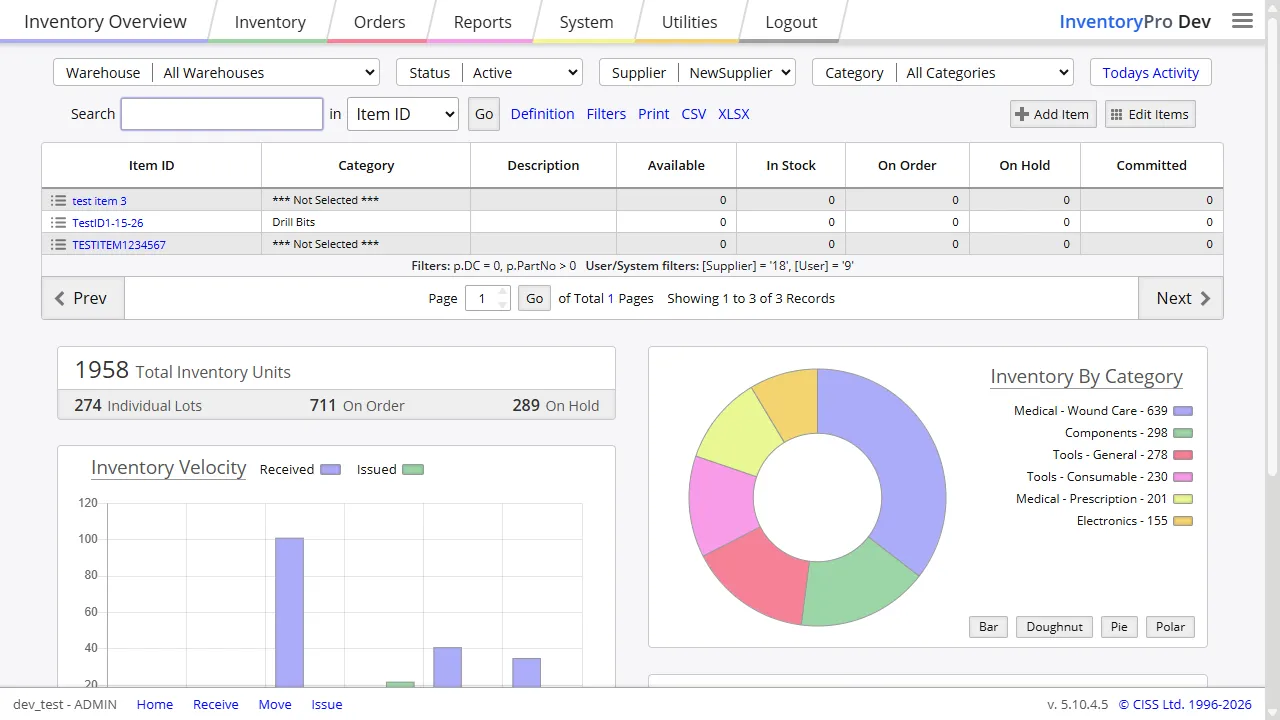
See which items move fastest, which are running low, and which orders need attention. No digging through menus. Your most important numbers are right on the home screen.
What You Can Report On
Reports are grouped by topic so you can find what you need fast. Here are some of the categories your team will use most.
Stock Reports
Current quantities, where items are stored, what has moved recently, and cost totals for your inventory.
Order Reports
Purchase orders, shipping orders, backorders, and work orders. See what is open, closed, or overdue.
Asset Reports
Track equipment, tools, and fixed assets. See who has what and when maintenance is due.
Warehouse Reports
Bin usage, transfers between locations, and receiving and shipping totals by warehouse.
Cost Reports
Item costs over time, supplier pricing comparisons, and inventory value snapshots for any past date.
Activity Logs
Who did what and when. Full history of changes, transactions, and logins for your records.
Full History of Every Change
Every time stock moves, an order changes, or someone edits a record, InventoryPro logs it. You get the date, the user, the reason, and the details. If something looks off, you can trace it back to the exact transaction.
Need to know what your inventory looked like last month? Rollback reports reconstruct your stock position at any past date. Useful for year-end counts, insurance claims, or just answering the question "where did that go?"
Make Reports Your Own
The built-in reports cover most needs, but you can adjust them too. Change which columns show up, how they sort, and what gets filtered. Your custom versions are saved separately so updates do not overwrite them.
Click any linked value in a report to jump straight to that record. If you need something more specialized, our team builds custom reports for customers who need them.
Automatic Alerts
Set it and forget it. The system watches your stock levels and sends you an email when something needs attention. Low stock, expiring items, order status changes, and receiving confirmations can all trigger a notification.
You can also schedule reports to go out automatically. Your Monday morning stock summary, weekly order recap, or daily receiving log - delivered to the right people without anyone clicking a button.
See Your Numbers Clearly
Stop building spreadsheets. Start your free account and run your first report in minutes.