InventoryPro Mobile

Point your phone camera at a barcode and go. Mobile is the on-the-floor companion - scanning, cycle counts, receiving, issuing, and signature capture. It runs in your browser, so there is nothing to install.

Signal drops? No panic. Transactions queue on the device and sync when you reconnect.

Mobile Warehousing

Buy the hardware that fits your budget. Mobile runs on phones, tablets, and dedicated scanners - consumer-grade or industrial-grade - and works the same either way.

Mobile keeps a local cache of items, locations, and orders for quick lookups. When the signal drops, transactions and operations queue on the device and sync on reconnect. It cannot work offline indefinitely - plan on a connection most days and you are covered.

For dedicated scanner information, see our Supported Scanners page. For label printing hardware, see the Supported Printers page.
Mobile Features

Receive, Issue, Move

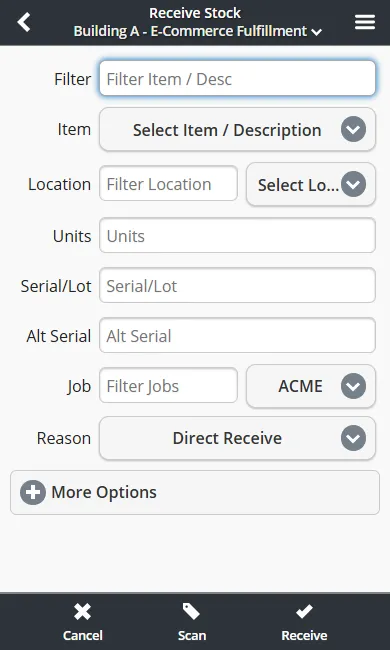
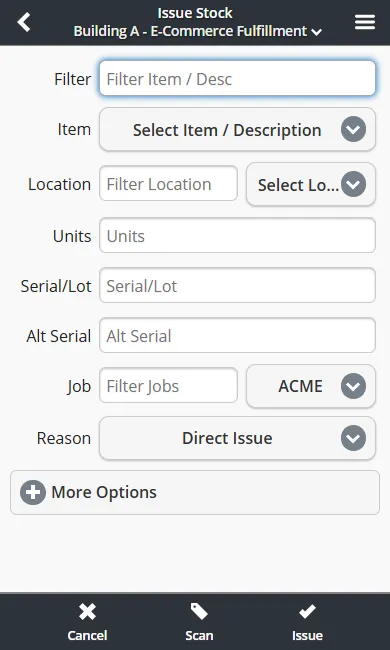
Capture stock movements where they happen - receiving, issuing, and moving between locations, with serials, lots, and weights tracked.

Camera Scanning

Scan 1D and 2D barcodes with your phone camera. Scanning runs on the device itself - no dock or cradle required. RFID is supported too.

Cycle Counts

Reconcile system counts against the shelf with a variety of sampling methods. Catch the quiet errors before they become reorder costs.

Pick and Pack in Bulk

Pick, pack, or put away multiple orders at once so fewer trips cover more of the floor.

Offline Queue

Transactions and operations queue on the device when the signal drops and sync when you reconnect. The app cannot work offline indefinitely.

Guided Picking

Follow picks in FEFO or FIFO order with pathing support - scan the next item and go.

Putaway Lists

Guided putaway for inbound stock, using current locations and defaults, so new stock lands where you can find it.

Stock on Hand

Check on-hand counts and locations from the floor. The app keeps a local cache for quick lookups and synchronizes when connected.

Delivery Tracking

Track inbound mailroom and outbound deliveries made with your own vehicles. (Standard and up.)

Signature Capture

Capture signatures on mobile for deliveries, transfers, and receipts - single or in batch.

Sign In Once

Link Inventory Pro to Active Directory or Okta so your team signs in with the accounts it already uses. (Paid add-on, Standard and up.)

Mobile in Action

Receiving, issuing, cycle counting, and more - the same transactions your desktop team runs, right on a phone, tablet, or handheld scanner.

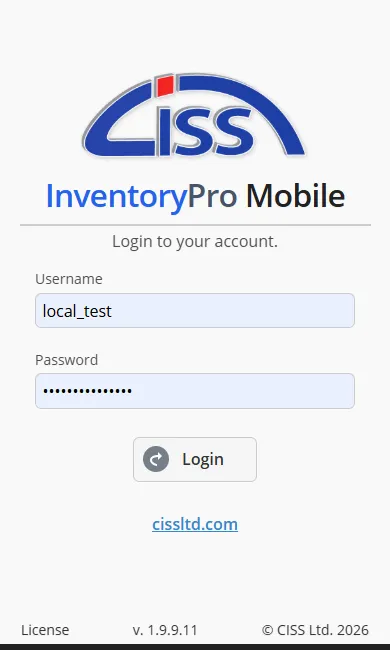
Mobile login screen with username, password, and warehouse selection fields

Login

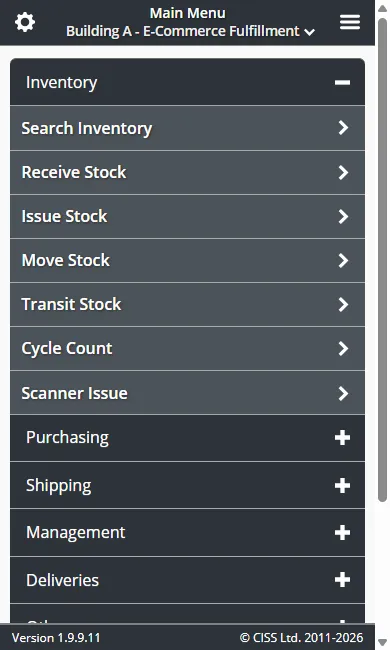
Mobile main menu showing Receive, Issue, Move, Cycle Count, and other inventory operations

Main Menu

Mobile receive stock form with item, quantity, location, and purchase order fields

Receive Stock

Mobile issue stock form with item selection, quantity, destination, and cost center fields

Issue Stock

All mobile transactions are transmitted over HTTPS with TLS 1.2+ encryption. Cloud-hosted mobile clients use the same isolated instance model as desktop -- your data stays separate from other organizations. See our Privacy & Data Policy for details.

No software to install - runs on

Microsoft Azure .NET Microsoft SQL Server Microsoft Excel Microsoft

Works in any modern browser

Google Chrome Mozilla Firefox Microsoft Edge

Done with Spreadsheets?

Inventory Pro replaces your spreadsheet. Sign up, import your items, and start scanning with your phone.

Try Free - No Credit Card See Features Simple Pricing Mobile App